Apollo
Syft's Apollo integration lets you sync identified accounts and contacts to Apollo.io, enrich visitor data with Apollo's database, and add contacts to sequences for automated outreach.
Connecting Apollo
To enable the Apollo integration, you will need an API key from Apollo.io.
- Go to the Apollo Developer Portal and create a master API key. Copy the key to your clipboard.
- Go to the Integrations page in Syft — this link opens the Apollo connection panel directly.
-
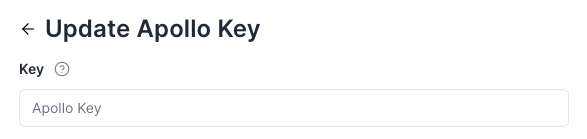
- When prompted, paste your API key into the provided field and click Save.
-

What You Can Do
Sync Accounts (Companies)
Syft can create and update Account records in Apollo with firmographic data from identified website visitors. When a company is synced:
- Syft searches Apollo for an existing account by company name.
- If a match is found, the account is updated with the latest data.
- If no match exists and creation is enabled, a new account is created.
You can also assign Account Lists (labels) to accounts during sync, helping you organize and segment companies inside Apollo.
Sync Contacts
Syft can create and update Contact records in Apollo for identified visitors. When a contact is synced:
- Syft checks for an existing contact by email.
- If a match is found, the contact is updated.
- If no match exists and creation is enabled, a new contact is created with enriched profile data (name, title, company, phone, LinkedIn, etc.).
You can assign Contact Lists (labels) to contacts during sync for easy segmentation in Apollo.
Add Contacts to Sequences
Syft can automatically add synced contacts to Apollo Sequences for automated outbound email campaigns. When configuring a motion, you can:
- Select one or more sequences to enroll contacts into.
- Choose which email account (sender) to use for the sequence.
This enables fully automated outreach — Syft identifies and qualifies the visitor, syncs them to Apollo, and enrolls them in a sequence, all without manual intervention.
Enrichment
Syft uses Apollo's enrichment APIs to enhance visitor data:
- Domain enrichment — When a company domain is identified from a website visit, Syft queries Apollo to pull firmographic data (industry, size, revenue, location, etc.).
- Email enrichment — When a visitor's email is known, Syft enriches the contact record with professional details (title, seniority, department, LinkedIn profile, etc.).
- LinkedIn enrichment — Syft can look up contacts by LinkedIn profile URL for additional data.
- Persona-based lead discovery — Syft can search Apollo's database for contacts matching your ideal customer persona at identified companies, surfacing potential buyers you haven't reached yet.
Reverse Sync
Syft periodically syncs contact updates from Apollo back into Syft. This keeps your Syft data current when contacts are updated directly in Apollo (e.g., stage changes, new activity, ownership changes).
Configuring Sync Behavior
Automatic Sync vs. Motion-Based Sync
There are two ways to control when data is synced to Apollo:
- Automatic sync — Enable "Create Apollo records by default" in your integration settings. When turned on, Syft will automatically create accounts and contacts in Apollo for all qualified visitors.
- Motion-based sync — Create a CRM motion to control exactly when and how data flows to Apollo. Motions let you set conditions (e.g., ICP score, engagement level) that must be met before syncing, and configure which Apollo actions to take (create account, create contact, add to sequence, assign lists).
Available Motion Actions for Apollo
When you create a CRM motion targeting Apollo, you can configure any combination of:
| Action | Description |
|---|---|
| Create/Update Account | Sync the company to Apollo as an Account record |
| Create/Update Contact | Sync the visitor to Apollo as a Contact record |
| Add to Contact List | Assign contacts to one or more Apollo contact lists |
| Add to Account List | Assign accounts to one or more Apollo account lists |
| Add to Sequence | Enroll contacts into one or more Apollo email sequences |
Account Stages and Contact Stages
Syft reads your Apollo account stages and contact stages, so records synced from Syft respect your existing pipeline configuration.
Ownership
When records are synced, Syft preserves existing ownership in Apollo. Owner information is also synced back into Syft for reporting and routing.
Tracking Syft-Identified Records
Records created by Syft in Apollo are tagged so you can easily identify which accounts and contacts were sourced through Syft vs. already existing in your CRM.