Slack
The Syft Slack integration sends real-time notifications to your Slack workspace whenever high-intent B2B visitors are detected on your website. Notifications are delivered by the Syft App directly into the Slack channel(s) you configure.
Installing the Slack App
To enable this integration, you will need permissions to install Slack apps in your workspace.
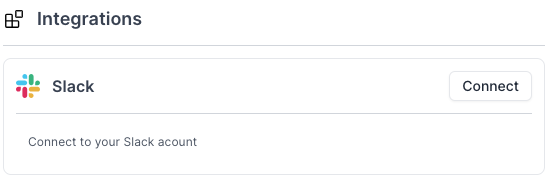
Go to the Integrations page — this link takes you straight to the Slack connection flow. Click Connect to get started.
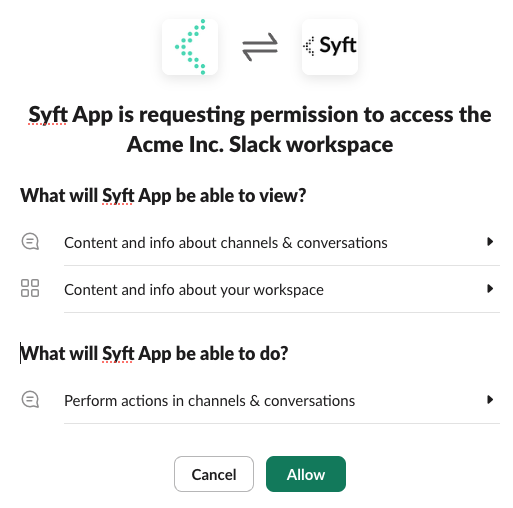
You'll be presented with a screen to install the Syft Slack app in your workspace. Click Allow.
What Triggers a Slack Message
Slack messages are sent by the Syft App when a company/contact's activity matches the criteria defined in a Motion. The following types of activity can trigger a notification:
- A company or person matching your Ideal Customer Profile (ICP) visits your website.
- A prospect liked a LinkedIn Post.
- Any other custom signal criteria you define in your motion.
Each Slack message includes details about the contact — such as their company name, the pages they viewed, and the time of activity.
Getting Slack Notifications
To receive Slack alerts, you need to create a Motion. Motions let you define exactly which visitor activities trigger a notification and which Slack channel receives it.
- Go to the Motions page.
- Use the "Real-time Slack alerts" template.
- Choose the channel you want notifications sent to (e.g.
#general). - Give your motion a name (e.g.
"All notifications") and click Create.
When an activity matching your motion's criteria occurs, the Syft Bot will automatically post a message to the configured Slack channel.
Testing your motion
You can test your motion using the kebab (⋮) menu button on the motion card.

Receive Notifications on Private Channels
To receive notifications in a private channel, you must first add the Syft App to that channel from the channel settings page.
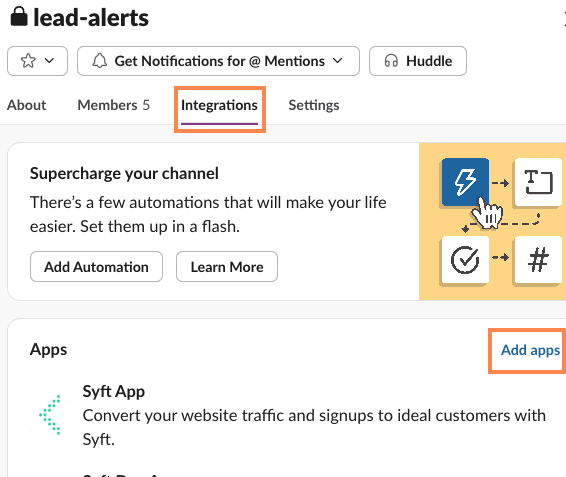
Once added, the private channel will appear as an option when creating or editing a motion.
App Permissions
The Syft App only posts messages to channels it has been explicitly added to. It does not read channel messages, respond to user comments, or interact with any content posted by your team. The app's sole function is to deliver outbound notifications based on your configured motions.