Webflow
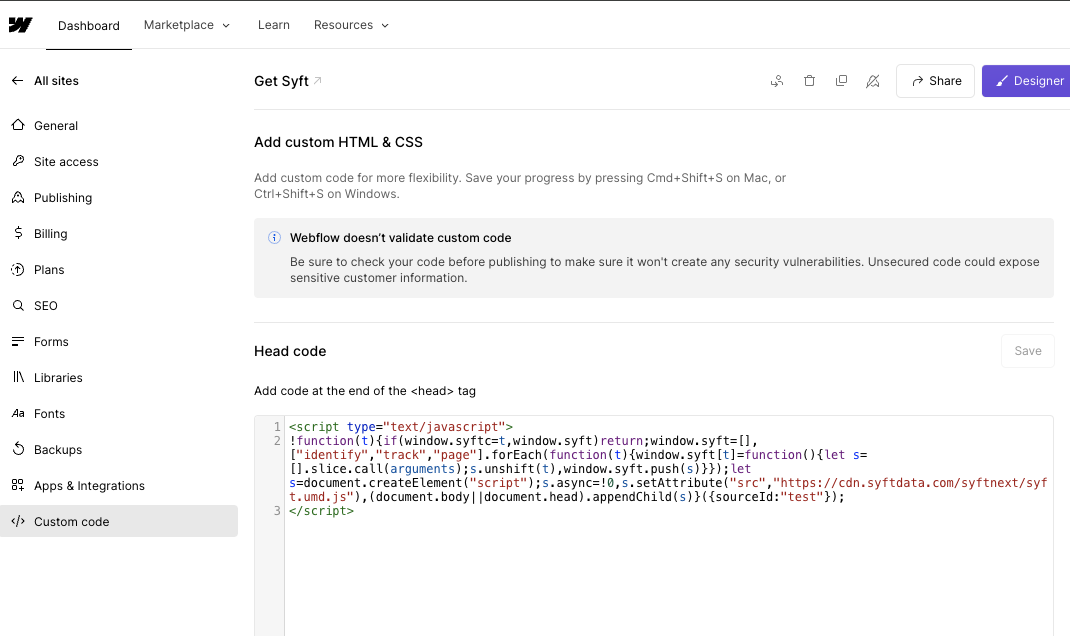
Steps to install snippet on a Webflow site
-
Copy the JS snippet from Data Collection under settings
- To increase ID rates by up to 40% for US visitors, enable Include RB2B Visitor ID on that page and copy the updated snippet.
-
Go to Webflow -> site settings -> Custom Code. Example: https://webflow.com/dashboard/sites/YOUR_SITE_NAME/general
-
Paste the JS snippet into the "Head" section.